---
title: "Upgrading React state management with zustand"
description: "A blog on zustand integration and performance enhancements"
canonical_url: "https://www.bigbinary.com/blog/upgrading-react-state-management-with-zustand"
markdown_url: "https://www.bigbinary.com/blog/upgrading-react-state-management-with-zustand.md"
---

# Upgrading React state management with zustand

A blog on zustand integration and performance enhancements

- Author: Mohit Harshan
- Published: January 2, 2024
- Categories: React

## From React context to zustand: A seamless transition

Global state refers to data that needs to be accessible and shared across
different parts of an application. Unlike local or component-specific state,
global state is not confined to a particular component but is available
throughout the entire application.

Let's dive into a real-world scenario to understand the need for a global state
in a React application.

Imagine we're building a sophisticated e-commerce platform with various
components, such as a product catalog, a shopping cart, and a user profile. Each
of these components requires access to shared data, like the user's
authentication status and the contents of their shopping cart.

In the application, the user logs in on the homepage and starts adding products
to their shopping cart. As the user navigates through different sections, such
as the product catalog or the user profile, we need to decide how to seamlessly
share and manage the user's authentication status and the contents of the
shopping cart across these disparate components. This is where the concept of a
global state comes into the picture.

In the early stages of our application development, we might adopt React Context
to manage this global state.

In this blog post, we'll discuss the process of upgrading from traditional React
Context to Zustand, a state management library that offers simplicity,
efficiency, and improved performance.

## The Pitfalls of React Context

In our initial setup, we relied on React contexts for managing global states.
However, as our application grew, we encountered performance issues and
cumbersome boilerplate code. Let's consider a typical scenario where we need a
global user state:

```jsx
const user = {
  name: "Oliver",
  age: 20,
  address: {
    city: "Miami",
    state: "Florida",
    country: "USA",
  },
};
```

To use this global state, we had to create a Context, wrap the child components
within a provider, and use the `useContext` hook in the child components. This
led to unnecessary re-renders and increased boilerplate.

```jsx
// Create a Context
const UserContext = React.createContext();

// Wrap the parent component with the UserContext provider
const App = () => (
  <UserContext.Provider value={user}>
    {/* Other components that use the user Context */}
  </UserContext.Provider>
);
```

```jsx
// In a child component, access the user Context using `useContext` hook
const UserProfile = () => {
  const user = React.useContext(UserContext);

  return (
    <div>
      <p>{user.name}</p>
      <p>{user.age}</p>
    </div>
  );
};
```

Components that listen to the Context will trigger a re-render whenever any
value within the Context changes, even if those changes are unrelated to the
specific component.

For example, in the `UserProfile` component, if the value of `city` changes in
the Context, the component will re-render, even if the address values aren't
actually utilized within `UserProfile`. This can have a noticeable impact on
performance. Furthermore, the usage of Context involves a lot of boilerplate
code.

## Enter Zustand: A Breath of Fresh Air

Zustand emerged as our solution to these challenges. It offered a more
streamlined approach to global state management, addressing the performance
concerns.

The `useUserStore` hook is created using zustand's create function. It
initializes a store with initial state values and actions to update the state.

```jsx
import create from "zustand";

// Create a user store using zustand
const useUserStore = create(set => ({
  user: {
    name: "Oliver",
    age: 20,
    address: {
      city: "Miami",
      state: "Florida",
      country: "USA",
    },
  }
  setUser: set,
}));
```

The `UserProfile` component uses the `useUserStore` hook to access the user
state. The `store => store.user` function is passed as an argument to the hook,
which retrieves the user object from the store.

```jsx
// Access the user via the useUserStore hook
const UserProfile = () => {
  const user = useUserStore(store => store.user);

  return (
    <div>
      <p>{user.name}</p>
      <p>{user.age}</p>
    </div>
  );
};
```

In this component, `useUserStore` is used to access the entire user object from
the store. Any change in the user object, even if it's a nested property like
`age`, will trigger a re-render of the `UserProfile` component. This behavior is
similar to how React Contexts work.

The first argument to the `useUserStore` hook is a selector function. Using the
selector function, we can specify what to pick from the store. Zustand compares
the previous and current values of the selected data and if the current and
previous values are different, zustand triggers a re-render.

In the above example, `store => store.user` is the selector function. Zustand
will compare the previous value of `user` with the current value and will
trigger a re-render if the values are different. But inside this component, we
need the values of only `name` and `age` properties of the `user` object.

This is where Zustand's ability to selectively pick specific parts of the state
for a component that comes into play, offering potential performance
optimizations.

If we want to construct a single object with multiple state-picks inside, we can
use `shallow` function to prevent unnecessary rerenders.

For example, we can be more specific by picking only `name` and `age` values
from user store:

```jsx
import { shallow } from "zustand/shallow";

const { name, age } = useUserStore(
  ({ user }) => ({ name: user.name, age: user.age }),
  shallow
);
```

Without `shallow`, the function
`({ user }) => ({ name: user.name, age: user.age })` recreates the object
`{ name: user.name, age: user.age }` everytime it is called.

`shallow` is a function of comparison that checks for equality at the top level
of the object, without performing a deep comparison of nested properties.
Zustand's default behavior is to use `Object.is` for comparisons of the current
and previous values. Even though the current and previous objects can have the
same properties with equal values, they are not considered equal when compared
using the strict equality operator ( `Object.is` ), same in the case of arrays.
By adding `shallow` it will dig into the array/object and compare its key values
or elements in the array and if any one is different, it triggers again.

In the above case, `shallow` ensures that the `UserProfile` component will
re-render only if the `name` or `age` properties of the user object change.

Zustand also provides the `getState` function as a way to directly access the
state of a store. This function can be particularly useful when we want to
access the state outside of the component rendering cycle.

When using a value within a specific function, the `getState()` retrieves the
latest value at the time of calling. It is useful to avoid having the value
loaded using the hook (which will trigger a re-render when this value changes).

```jsx
const useUserStore = create(() => ({ name: "Oliver", age: 20 }));

// Getting non-reactive fresh state
const handleUpdate = () => {
  if (useUserStore.getState().age === 20) {
    // Our code here
  }
};
```

## Working with Zustand

### 1. Installing zustand

```bash
yarn add zustand
```

### 2. Replacing all contexts with zustand

During the initial migration, we replaced all React contexts with Zustand. This
involved copying data and replacing Context hooks with Zustand stores. Our focus
was on the migration itself, deferring performance enhancements for a later
phase.

In the context of Zustand, "actions" refer to functions that are responsible for
updating the state. In other words, actions are methods that modify the data
within the state container.

```jsx
const useUserStore = create(
  withImmutableActions(set => ({
    name: 10,
    age: 20,
    address: {
      city: "Miami",
      state: "Florida",
      country: "USA",
    },
    setName: ({ name }) => set({ name }),
    setGlobalState: set,
  }))
);
```

In the provided code snippet, `setName` and `setGlobalState` are examples of
actions. Let's break it down:

`setName`: This action takes an object as an argument, specifically `{ name }`,
and updates the name property of the state with the provided value.

```jsx
setName: ({ name }) => set({ name }),
```

`setGlobalState`: Similarly, this action takes an argument, and in this case, it
merges the state with the provided argument. It's a more generic action that
allows modifying multiple properties of the state at once.

To safeguard against actions being overwritten, we introduced a middleware
function called `withImmutableActions`

This middleware ensures that attempts to overwrite Zustand store actions result
in an error, providing a safeguard against unintended behavior.

The `withImmutableActions` throws an error because we are trying to overwrite
the zustand store's actions.

```jsx
// throws an error
setGlobalState({ name: 0, setName: () => {} });
```

Here is the source code of `withImmutableActions`:

```js
import { isEmpty, keys } from "ramda";

const setWithoutModifyingActions = set => partial =>
  set(previous => {
    if (typeof partial === "function") partial = partial(previous);

    const overwrittenActions = keys(partial).filter(
      key =>
        typeof previous?.[key] === "function" && partial[key] !== previous[key]
    );
    if (!isEmpty(overwrittenActions)) {
      throw new Error(
        `Actions should not be modified. Touched action(s): ${overwrittenActions.join(
          ", "
        )}`
      );
    }

    return partial;
  }, false);

const withImmutableActions = config => (set, get, api) =>
  config(setWithoutModifyingActions(set), get, api);
```

Unlike zustand's default behavior, this middleware disregards the
[second argument of the `set` function](https://github.com/pmndrs/zustand#overwriting-state)
which is used to overwrite the entire state when set to `true`. Hence, the
following lines of code work identically to each other:

```jsx
setGlobalState({ value: 0 }, true);
setGlobalState({ value: 0 });
```

### 3. Performance optimization strategies

We identified key strategies to optimize performance while using Zustand:

#### Selective Data Usage

Instead of using the entire state, components can selectively choose the data
they need. This ensures that re-renders occur only when relevant data changes.

Consider the following user store:

```jsx
const useUserStore = create(set => ({
  name: "",
  subjects: [],
  address: {
    city: "",
    country: "",
  },
  setUser: set,
}));
```

If we only need the city value, we can do:

```jsx
const city = useUserStore(store => store.address.city);
```

In this case, the usage of `shallow` is not necessary because the selected data
is a primitive value (`city`), not a complex object with nested properties.
`shallow` is not needed when the returned object can be compared using
`Object.is` operator.

#### Avoiding importing values like contexts

```jsx
// Not recommended
const {
  address: { city, country },
  setAddress,
} = useUserStore();
```

We can replace the above code with the following approach:

```jsx
const { city, country } = useUserStore(
  store => pick(["city", "country"], store.address),
  shallow
);
const setAddress = useUserStore(prop("setAddress"));
// `pick` and `prop` are imported from ramda
```

#### Avoiding prop drilling

Directly accessing Zustand values within the intended component eliminates the
need for prop drilling, improving code clarity and maintainability.

#### Utilizing `getState` Method

When used within a function, the `getState()` retrieves the latest value at the
time of calling the function. It is useful to avoid having the value loaded
using the hook (which will trigger a re-render when this value changes)

```jsx
const handleUpdate = () => {
  if (useUserStore.getState().role === "admin") {
    // Our code here
  }
};
```

## Challenges and Solutions

### Shared State Instances Across Components

Zustand's design maintains a single instance of state and actions. When using
the same store hook across multiple components, values are shared. To address
this, we combined Zustand with React Context, achieving a balance between
efficient state management and isolation.

When we call the store hook (`useUserStore`) from different components which
need separate states, the values returned by the hook will be the same across
those components.

This behavior is a consequence of zustand's design. It maintains a single
instance of the state and actions, ensuring that all components using the same
hook share the same state and actions.

To illustrate this, consider an example where we have two input components on a
form page: one for the Student profile and another for the Teacher profile. Both
components are utilizing the same `useUserStore` to manage both student and
teacher details.

```jsx
// useUserStore.js
import { create } from "zustand";

const useUserStore = create(set => ({
  name: "",
  subjects: [],
  address: {
    city: "",
    country: "",
  },
  setUser: set
}));

export default useUserStore;

// App.jsx
import React from "react";
import Profile from "./Profile";

const App = () => (
  <div>
    <Profile role="Teacher" />
    <Profile role="Student" />
  </div>
);

export default App;

// Profile.jsx
import React from "react";
import { prop } from "ramda"

import useUserStore from "./stores/useUserStore";

const Profile = ({ role }) => {
  const name = useUserStore(prop("name"));
  const setName = useUserStore(prop("setName"));

  return (
    <div>
      <p>{`Enter the ${role}'s name`}</p>
      <input
        value={name}
        onChange={(e) => setName(e.target.value)}
      />
    </div>
  );
};

export default Profile;
```

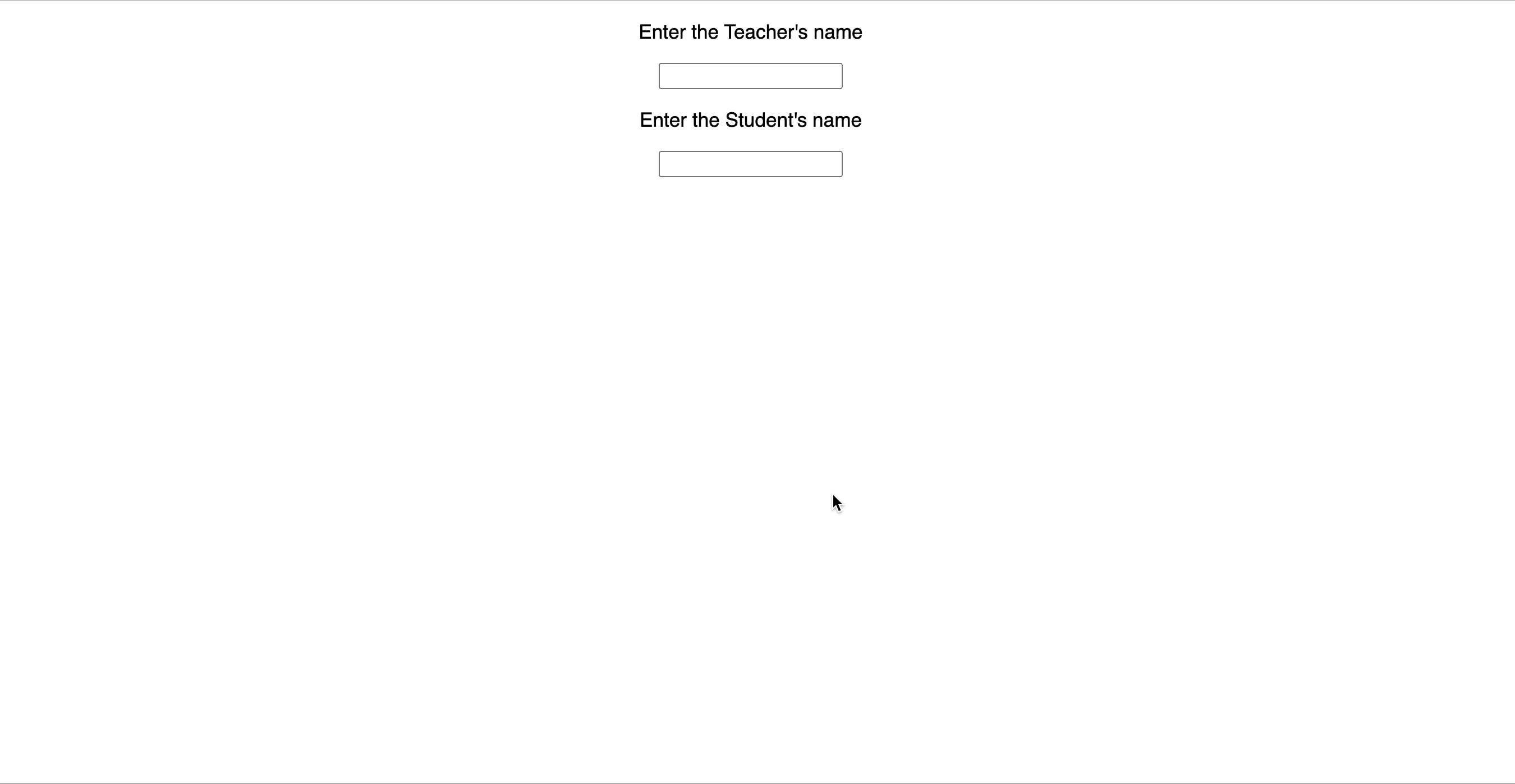
In this setup, since both the Student and Teacher profiles are using the same
store (`useUserStore`), the input fields in both components will display the
same value.
![Multiple components using same store](https://www.bigbinary.com/blog/images/images_used_in_blog/2024/upgrading-react-state-management-with-zustand/multiple_components_using_same_store.gif)

We combined Zustand with React Context to address this challenge of shared state
instances across different components on the same page. By doing so, we have
achieved a balance between the benefits of Zustand's efficient state management
and the isolation provided by React Context.

```jsx
// Create a Context
import { createContext } from "react";

const UserContext = createContext(null);

export default UserContext;

// Modify useUserStore using createStore
import { createStore } from "zustand";

const useUserStore = () =>
  createStore((set) => ({
    name: "",
    subjects: [],
    address: {
      city: "",
      country: ""
    },

   setUser: set
  }));

export default useUserStore;

// Add changes to Profile.jsx
import React, { useContext, useMemo } from "react";
import { pick } from "ramda";
import useUserStore from "./stores/useUserStore";
import { useStore } from "zustand";
import { shallow } from "zustand/shallow";
import UserContext from "./contexts/User";

const Profile = ({ role }) => {
  const userStore = useContext(UserContext);

  const { name, setName } = useStore(
    userStore,
    pick(["name", "setName"]),
    shallow
  );

  return (
    <div>
      <p>{`Enter the ${role}'s name`}</p>
      <input value={name} onChange={(e) => setName(e.target.value)} />
    </div>
  );
};

const ProfileWithState = (props) => {
  const stateStore = useMemo(useUserStore, []);

  return (
    <UserContext.Provider value={stateStore}>
      <Profile {...props} />
    </UserContext.Provider>
  );
};

export default ProfileWithState;
```

With this implementation, each component gets its own isolated state, avoiding
the issue of shared state instances.

![Multiple components using same store with context](https://www.bigbinary.com/blog/images/images_used_in_blog/2024/upgrading-react-state-management-with-zustand/multiple_components_using_same_store_with_context.gif)

### Tackling Boilerplate Code

In the codebase, there was a recurring pattern of boilerplate code when trying
to pick specific properties from a Zustand store with nested values. This
involved using `shallow` and manually accessing nested properties, resulting in
verbose code.

To simplify this process and reduce boilerplate, a
[custom babel plugin](https://github.com/bigbinary/babel-preset-neeto/blob/main/docs/zustand-pick.md)
was developed. This plugin provides a cleaner syntax for property picking from
Zustand stores.

Without the plugin, to pick specific values from the store, we needed to write:

```jsx
// Before
import { shallow } from "zustand/shallow";

const { order, customer } = useGlobalStore(
  store => ({
    order: store[sessionId]?.globals.order,
    customer: store[sessionId]?.globals.customer,
  }),
  shallow
);
```

With the babel plugin, the above code can be written as:

```jsx
//After
const { order, customer } = useGlobalStore.pick([sessionId, "globals"]);
```

The babel transformer will transform this code to the one shown above to achieve
the same result.

A transformer is a module with a specific goal that is run against our code to
transform it. The Babel plugin operates during the code compilation process. By
using the Babel plugin, developers can achieve the same functionality with fewer
lines of code, reducing code verbosity.

The `useGlobalStore.pick` syntax provides a more streamlined and expressive way
of picking properties. It abstracts away the need for manual property access and
the use of `shallow`.

## Conclusion

Upgrading to Zustand has proven to be a wise decision, addressing performance
concerns and streamlining our state management. By combining Zustand with React
Context and tackling challenges with innovative solutions, we've achieved a
robust and efficient state management system in our React applications.

## Links

- [Human page](https://www.bigbinary.com/blog/upgrading-react-state-management-with-zustand)
