

Lots of folks know cloudflare for the DDoS protection, rate limiting etc services it provides. Here at BigBinary, we also use Cloudflare for DNS management.
DNS management is a free service by Cloudflare. However, on first glance, it might not appear that it's a free service. Once we add a site, then we see a screen like this. Here, we need to remember to scroll down to see the free option.
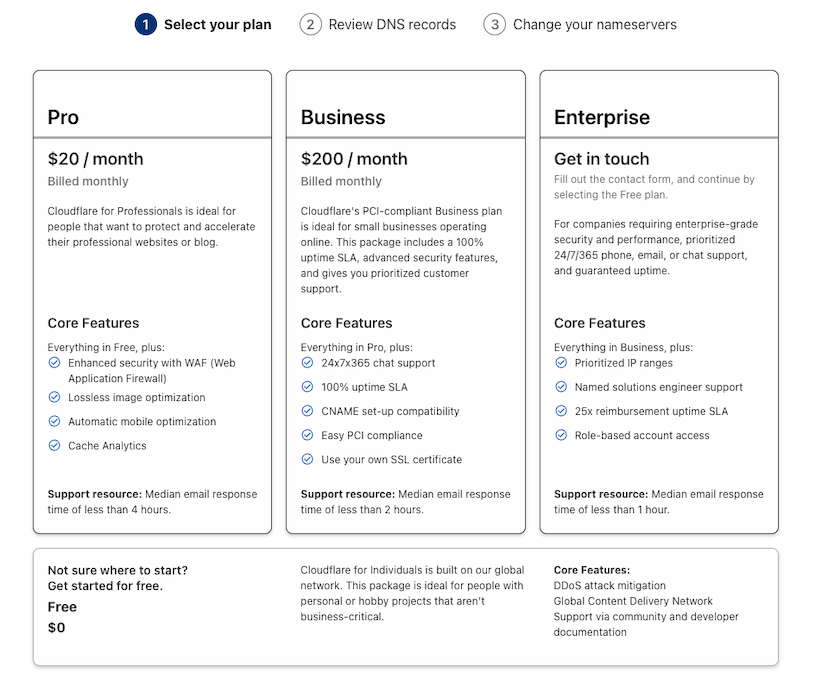
Now let's see how we can map the DNS settings from Heroku to Cloudflare. We will look at both a standard domain name and then we will take a look at a wildcard domain name.
Standard domain name
We are hosting GitEmit using Heroku. We are letting Heroku manages the SSL for this domain.
After setting up domains in Heroku, here is what we see.
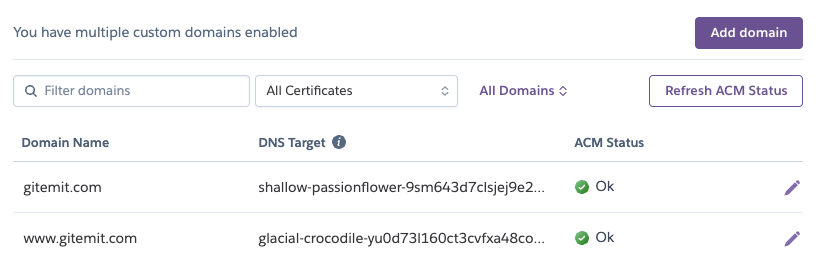
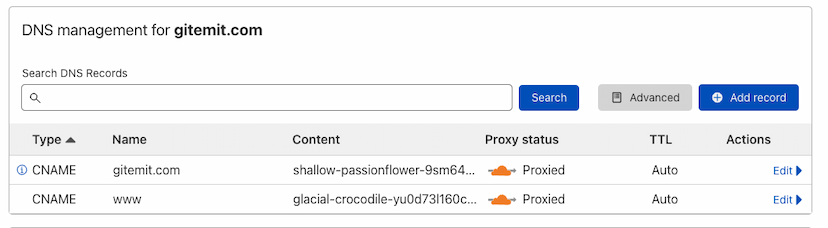
In Cloudflare, we can set it up using two CNAMEs. It looks like this.
Wild card domain name
We are hosting NeetoChat application using Heroku.
Since it's a wild card domain, we had to generate the certificates ourselves.
After setting up domains in Heroku, here is what we see.
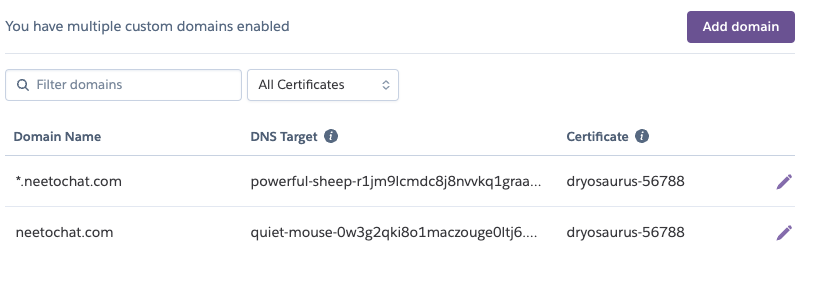
In Cloudflar,e we can set it up using three CNAMEs. It looks like this.
